Some letters are too personal for Times New Roman.
Our founder Craig’s handwriting, made into a font with the same chart you’ll fill in. Flip the switch to see each note in Times New Roman instead.
Kindly bleep off.
Per my last email.
I’m not mad. I’m just disappointed. — Dad
Whoever keeps eating my yogurt: I know. I have always known.
Thank you for the lovely fruitcake. It is still in the garage.
Happy birthday to the only person who still owes me $20.
Dear neighbor, the leaf blower. At 7 a.m. On a Sunday.
Roses are red. I said what I said.
How it works
About twenty minutes of your time. We do the rest.
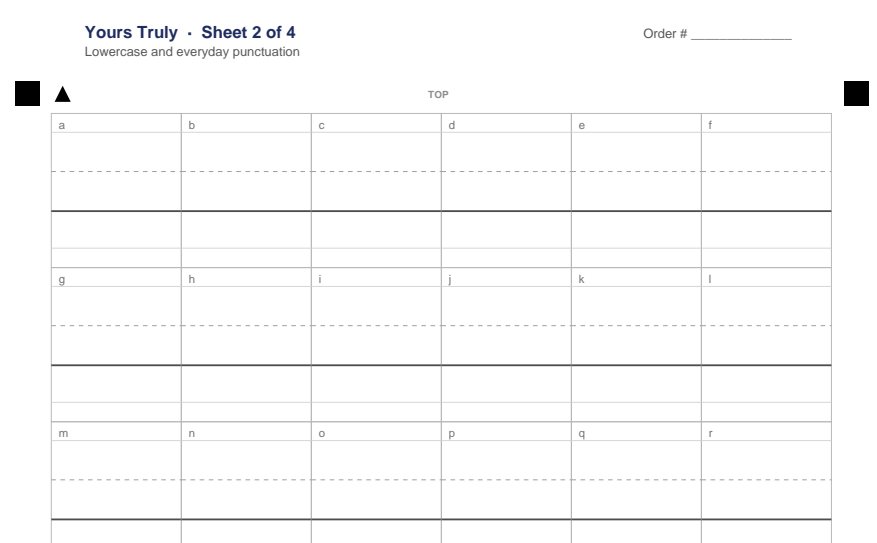
Print the chart
After checkout you get the four-page letter chart. Print it at actual size.
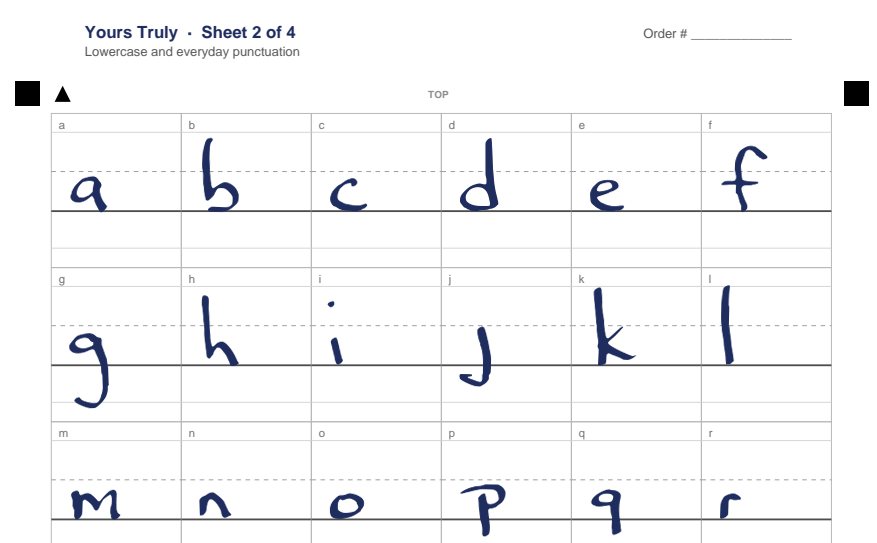
Fill it in, take four photos
One letter per box with a dark pen. Photograph each page from above, any way up. Upload them on your order page.
Type in your own hand
We email your font in 3 business days with install steps. It shows up in Word’s font list like any other.
Pricing
One price, no subscription. The font is yours to keep.
Your handwriting
Print our four-page letter chart, fill it in (about 20 minutes), photograph each page and upload the photos. We build your font and email it to you.
- A font file for Word on Mac and Windows, plus a web version
- Your 18 most-used letters in three versions each, so repeats don’t look stamped
- Ready in 3 business days
- One free do-over if a photo doesn’t work
Someone else’s handwriting
Mom’s recipe cards. Grandpa’s letters from the war. Send us photos of pages they wrote and we’ll build a font from them by hand, drawing in any letters that never appear.
- Built by hand from 1–6 pages of their writing
- Missing letters drawn to match their hand
- Ready in 10 business days
- Requires the writer’s permission, or that you’re family of a writer who has died
Want to see the chart before you buy? Download it.
Questions
Will it work in Microsoft Word?
Yes. You get a .ttf file. Double-click it to install on a Mac or a Windows PC, restart Word, and it shows up in the font list. To send a Word document to someone who doesn’t have your font, turn on “Embed fonts in the file” in Word’s save settings, or save it as a PDF.
What about Google Docs and email?
Google Docs doesn’t let you add your own fonts, and email can’t force a font onto the person reading it. For both, write it in Word or Pages and send a PDF or a screenshot.
Does it work with cursive?
Print and semi-joined handwriting come out best. Full cursive works, but the letters won’t flow into each other the way they do on paper, because a font places each letter separately.
What do I need?
A printer, a dark pen (black or dark blue; no pencil), about 20 minutes, and a phone camera. Photograph each page flat from straight above in daylight, with all four black corner squares in the picture.
What if my photos don’t work?
We’ll tell you which page and why, and you can send a new photo at no charge.
What happens to my photos?
We use them only to build your font, and we delete them 90 days after we deliver it. We never publish your font or share it with anyone.
Can I use it to sign things?
No. A font isn’t a signature, and our terms don’t allow it on contracts, checks, or anything else where a signature matters.
Refunds?
Full refund if you ask before we start building your font. After that, we’ll fix it until it’s right.
Can you make a font from my late mother’s handwriting?
Yes, that’s exactly what the keepsake font is for. Photograph a few pages she wrote: letters, cards, recipe cards. The more different letters on the pages, the closer the font. You’ll confirm at upload that you’re family or have the family’s blessing.